How to use the svg to stl tool
- Drop your SVG. Add an SVG logo, icon or design. The converter reads its filled shapes in your browser; nothing is uploaded.
- Set height and base. Choose the width in mm, the extrusion height and a base plate thickness. Set the base to 0 for a cut-out without a plate.
- Download the STL. Check the 3D preview and click Download STL. Curves stay smooth because they come from the vector paths, not pixels.
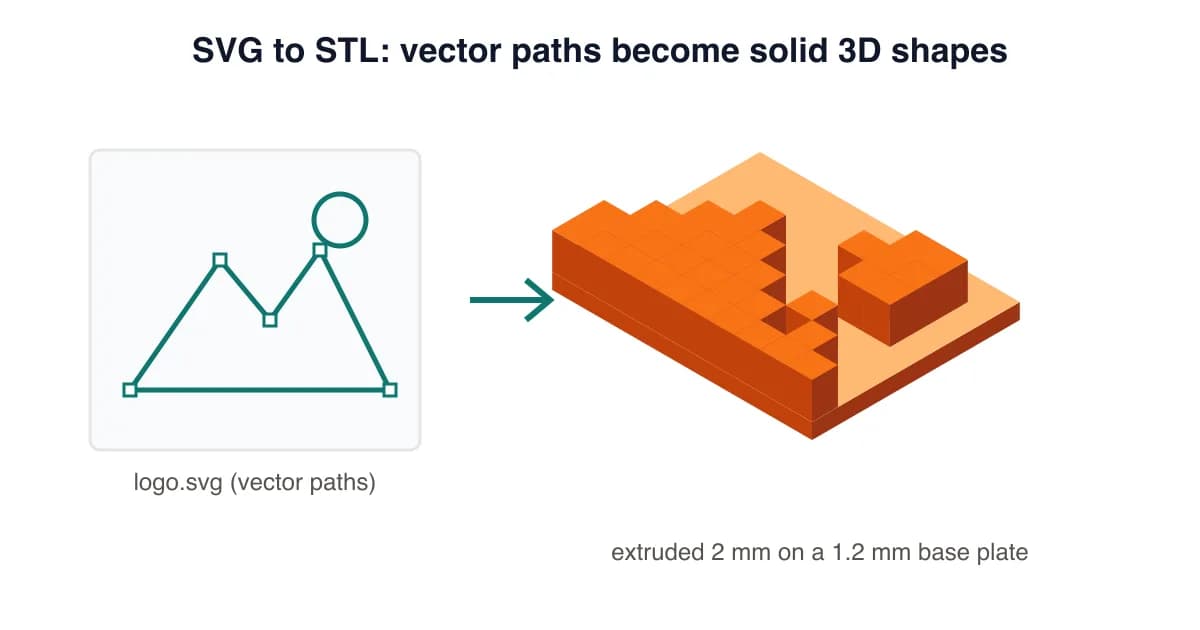
True vector SVG to STL, not a pixel trace
Many converters rasterise your SVG and then trace the pixels, which leaves stepped edges. This SVG to STL converter reads the vector paths directly and extrudes them, so circles stay round and text stays crisp at any size. You get a clean, small STL that slices fast.
Prepare your SVG
- Fill your shapes. Stroke-only lines have no area. Use Stroke to Path (Inkscape) or Outline Stroke (Illustrator).
- Convert text to paths so fonts don't need to be installed.
- Remove hidden layers and clip masks you don't want printed.
- Keep thin parts printable: at least 0.8 mm at your final size for a 0.4 mm nozzle.
Recommended settings
| Width | Base | Extrusion | |
|---|---|---|---|
| Logo badge or sign | 80-150 mm | 1.2-2 mm | 2 mm |
| Keychain tag | 40-60 mm | 1.5 mm | 1.2 mm |
| Cookie cutter outline | 60-90 mm | 0 mm | 12-15 mm |
Only have a PNG or JPG? Use the PNG to STL converter or the general image to STL converter.
SVG to STL Converter FAQ
How do I convert SVG to STL?
Drop the SVG into the converter above. It switches to SVG vector mode automatically; set the width, extrusion height and base, then click Download STL.
Why is my SVG to STL empty or missing parts?
Only filled shapes are extruded. Lines that are strokes with no fill have no area, so convert strokes to paths (Object to Path / Stroke to Path in Inkscape or Illustrator) first.
Is SVG better than PNG for STL?
For logos and text, yes. SVG keeps exact curves, so edges are smooth at any size and the file is small. PNG is converted pixel by pixel and can look stepped.
Can I make a cookie cutter or stencil from an SVG?
Yes. Set the base to 0 mm for a free-standing cut-out. For a stencil, put the design on a plate and invert it in your design tool first.
Does SVG to STL keep holes, like the inside of letters?
Yes. Holes defined in the SVG paths (like the centre of an O) stay open in the extruded model.
Is the SVG converter free?
Yes, free with no signup or watermark. It runs entirely in your browser.
Last updated . Written and test-printed by the PixelToSTL maker team on Bambu Lab A1 and Prusa MK4 printers.