How to use the lithophane maker tool
- Upload a photo. Drop a JPG or PNG photo onto the lithophane maker. It is processed locally in your browser.
- Set thickness and frame. Use 0.8 mm minimum and 3 mm maximum thickness, add a 3 mm frame, and tick Backlit preview to see how it will glow.
- Download and print upright. Download the STL and print it standing upright with 100% infill and 0.12 mm layers in white PLA.
How a lithophane maker works
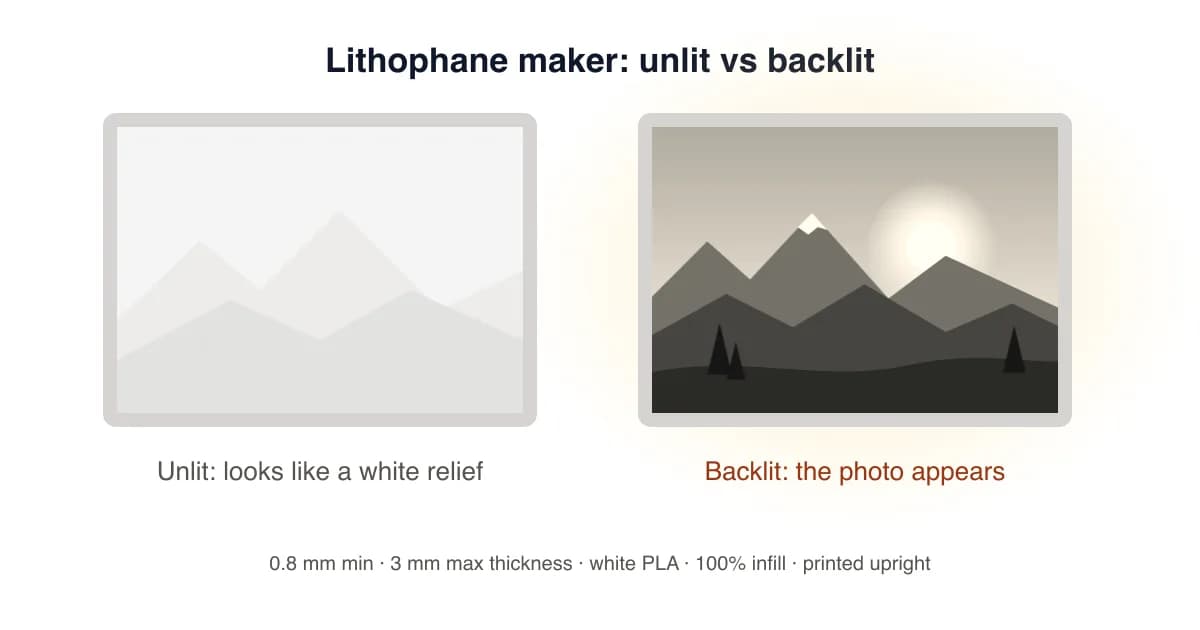
A lithophane maker maps each pixel's brightness to a thickness. Black pixels become the maximum thickness (for example 3 mm) and white pixels become the minimum (for example 0.8 mm). When you hold the print up to a window or put an LED behind it, thin areas glow and thick areas stay dark, so the photo appears in surprising detail. Tick Backlit preview in the tool above to see a simulation before you print.
Lithophane settings that work
| Setting | Recommended | Why |
|---|---|---|
| Min thickness | 0.6–0.8 mm | Bright highlights without holes |
| Max thickness | 3.0 mm | Deep shadows with a normal LED |
| Width | 100–150 mm | Detail without very long prints |
| Frame | 3–5 mm | Stiffness and a clean edge |
| Resolution | 300–500 px | Matches a 0.4 mm nozzle at this size |
| Infill / layers | 100% / 0.12 mm | Even light transmission |
Choosing the right photo
- Pick photos with a clear subject and good contrast. Faces, pets and landmarks look great.
- Avoid large pure-white areas; they print at minimum thickness and look washed out.
- Slightly over-expose dark photos before uploading so shadow detail survives.
Flat vs curved vs lamp lithophanes
Flat panels are free here and suit frames, window hangers and light boxes. Curved panels stand on their own and spread light more evenly, while cylinders and lamp shades turn a photo into a night light. Those shapes, plus colour (CMYW) lithophanes for multicolour printers, are included in Pro. Have a logo instead of a photo? Use the PNG to STL converter, or see the JPG to STL guide for photo reliefs.
Lithophane Maker FAQ
What is a lithophane?
A lithophane is a thin panel whose thickness varies with the image. Thick areas block light and look dark, thin areas let light through, so the photo appears when the panel is backlit.
Is this lithophane maker free?
Yes. Flat lithophanes with frames are free, with no signup or watermark. Curved, cylinder, lamp-shade and colour lithophanes are part of Pro.
What thickness should a lithophane be?
Most makers use 0.8 mm minimum and 3.0 mm maximum thickness. Thinner highlights glow brighter; thicker panels give more contrast but need a stronger light.
What are the best print settings for lithophanes?
White PLA, 100% infill, 0.12 mm layer height, printed upright (standing on its edge) with a brim. Slow outer walls improve detail.
Why does my lithophane look like a negative?
Lithophanes look inverted when unlit; that's normal. If it still looks wrong when backlit, untick Invert so dark image areas are the thickest.
Can I make a lithophane lamp or night light?
The free maker exports flat panels that fit most frames and light boxes. Pro adds curved panels, cylinders and lamp shades sized for common LED puck lights.
How big should I print a lithophane?
100–150 mm wide is the sweet spot. Below 80 mm, faces lose detail with a 0.4 mm nozzle; above 200 mm, print time grows quickly.
Last updated . Written and test-printed by the PixelToSTL maker team on Bambu Lab A1 and Prusa MK4 printers.