How to use the image to stl tool
- Add any image. Drop a PNG, JPG, WebP, GIF, BMP or SVG file onto the converter. It is read by your browser and never uploaded.
- Choose how to add depth. Extrude for logos and text, Heightmap for photos and textures, Lithophane for backlit prints, or SVG vector for vector files.
- Size it and download. Set the width in millimetres, the relief height and the base, check the live 3D preview, then click Download STL.
One image to STL converter for every kind of picture
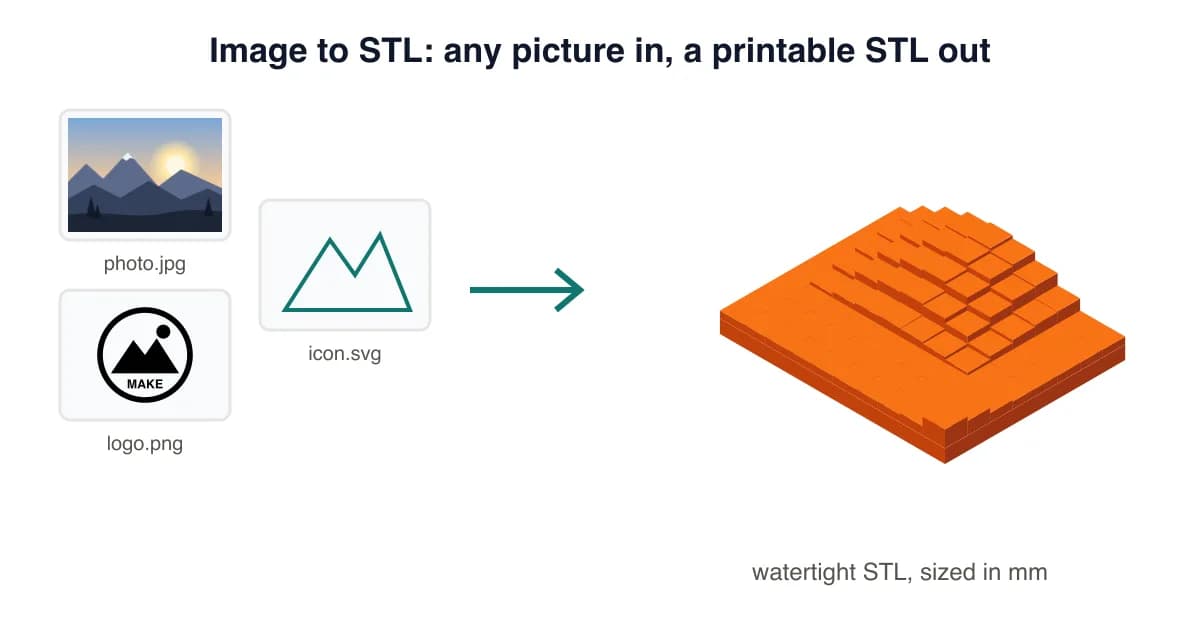
Most image to STL tools only do one thing. This converter picks the right method for your picture: crisp walls for logos and text, smooth slopes for photos and textures, a thickness map for lithophanes, and true vector extrusion for SVG files. Everything runs in your browser, so even large images convert in seconds without an upload.
Which mode fits your image?
| Your image | Best mode | Typical settings |
|---|---|---|
| Logo, text, icon (PNG) | Extrude | 80 mm wide, 1.2 mm base, 2 mm height |
| Logo or icon (SVG) | SVG vector | 80 mm wide, 1.2 mm base, 2 mm height |
| Photo or painting | Heightmap | 120 mm wide, 1.5 mm base, 3 mm relief, smoothing 1-2 |
| Photo for a night light | Lithophane | 120 mm wide, 0.8 mm min, 3 mm max |
| Pet, figurine or object | AI photo → 3D | Full 3D model, first one free |
Tips for a clean result
- Use the largest, sharpest version of the image you have. Tiny thumbnails print blocky.
- Transparent PNGs are ideal: the background drops to the base automatically.
- For JPGs, add 1-2 steps of smoothing to remove compression noise.
- Keep details thicker than about 0.8 mm at your print size so a 0.4 mm nozzle can print them.
Format-specific guides: PNG to STL, JPG to STL, SVG to STL and the lithophane maker.
Image to STL Converter FAQ
How do I convert an image to STL?
Drop the image into the converter above, pick a mode (Extrude for logos, Heightmap for photos, Lithophane for backlit prints), set the size in mm and click Download STL. It's free with no signup.
What image formats can I convert to STL?
PNG, JPG/JPEG, WebP, GIF, BMP and SVG. SVG files are extruded as true vectors with smooth curves; the others are converted pixel by pixel.
Is this image to STL converter free?
Yes. The converter runs in your browser, so it costs us almost nothing and stays free with no watermark or daily limit. Pro adds AI features and a commercial licence.
Can an image become a full 3D model instead of a relief?
A flat image only has brightness, so standard converters make 2.5D reliefs. Our AI photo → 3D feature builds a full model from a photo of one object; your first one is free.
Which image works best for 3D printing?
High-contrast images with a plain or transparent background. For photos, crop tightly and add a little smoothing; for logos, use pure black on white and the Extrude mode.
Will the STL open in my slicer?
Yes. The file is a binary STL in millimetres with a closed, manifold mesh and a flat base, so Bambu Studio, PrusaSlicer, OrcaSlicer and Cura import it at the right size.
Last updated . Written and test-printed by the PixelToSTL maker team on Bambu Lab A1 and Prusa MK4 printers.