How to use the jpg to stl tool
- Add your JPG. Drop a JPG or JPEG photo onto the converter. It is processed in your browser and never uploaded.
- Choose relief or lithophane. Heightmap makes a raised relief from the photo's brightness; Lithophane makes a thin panel that shows the photo when lit.
- Smooth, size and download. Add 1–2 steps of smoothing to remove JPEG noise, set the width in mm and click Download STL.
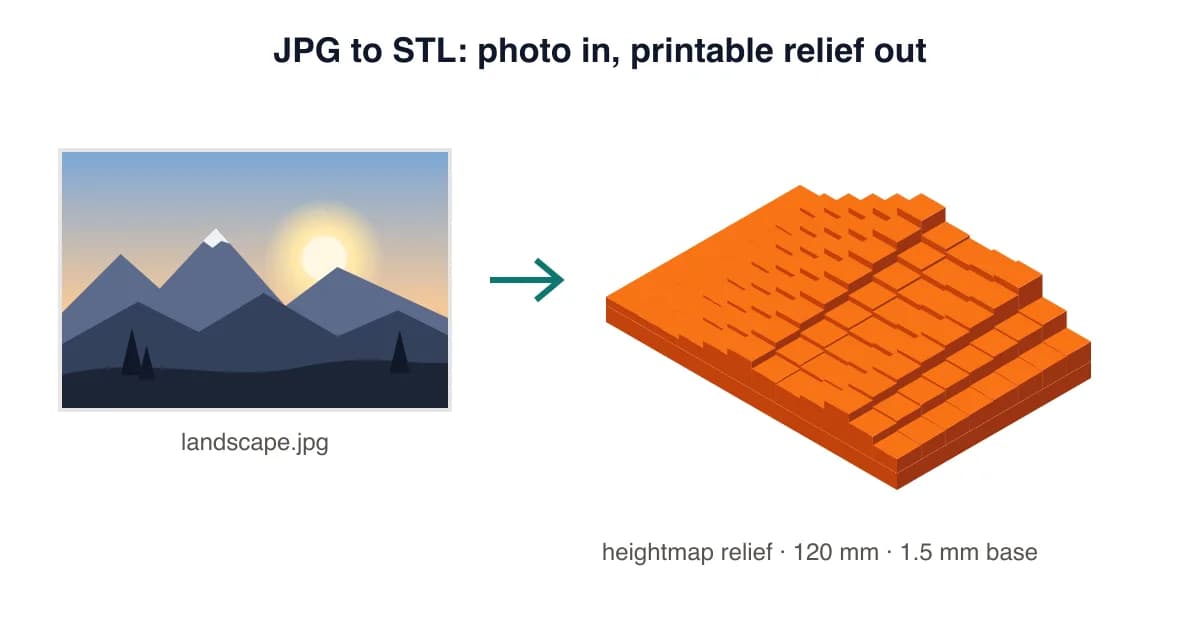
JPG to STL: relief, lithophane or full 3D?
A JPG is a photo with no depth, so a JPG to STL converter has to invent height from brightness. That works well for two kinds of prints. A relief (heightmap mode) raises the bright parts of the photo, like a coin or a carved plaque. A lithophane does the reverse: dark areas print thick, light areas print thin, and the picture appears when light shines through it. If you need a full 3D model that you can walk around, that requires AI reconstruction, which is available on Pro.
Which photos convert best
- Strong contrast and a clear subject: pets, landmarks, portraits lit from the front.
- Simple backgrounds: busy backgrounds turn into noisy texture. Crop tightly or blur them first.
- At least 600 px on the long side: the converter samples up to 1024 px; tiny thumbnails look blocky.
- No heavy filters: vignettes and grain show up as dents and bumps.
Recommended JPG to STL settings
| Mode | Width | Base / min | Relief / max | Smoothing | |
|---|---|---|---|---|---|
| Photo relief plaque | Heightmap | 100–150 mm | 1.5 mm | 3–4 mm | 1–2 |
| Window lithophane | Lithophane | 100–150 mm | 0.8 mm | 3 mm | 1 |
| Coaster | Heightmap | 90 mm | 2 mm | 1.5 mm | 2 |
Working with a logo instead of a photo? Use the PNG to STL converter in Extrude mode for crisp edges, or follow the lithophane maker guide for backlit photo gifts.
JPG to STL Converter FAQ
Can I convert a JPG to STL for free?
Yes. Drop the JPG into the converter on this page, choose Heightmap or Lithophane, and download the STL. No account, watermark or upload is needed.
Why is my JPG to STL bumpy?
JPEG compression adds tiny blocks and noise that become bumps in 3D. Set Smoothing to 1–2, or start from the highest-quality version of the photo.
Is JPG or PNG better for STL conversion?
PNG is better for logos because it supports transparency and has no compression artefacts. JPG is fine for photos once you add a little smoothing.
Can a JPG become a full 3D model of my pet or face?
Not with a heightmap: a photo only gives a relief. Pro's AI photo → 3D feature generates a full sculpture from a single photo.
What's the best JPG to STL size for a photo relief?
100–150 mm wide with a 1.5 mm base and 3–4 mm relief height, printed at 0.12 mm layers, shows good detail with a 0.4 mm nozzle.
Does JPEG vs JPG make a difference?
No. JPG and JPEG are the same format with a different file extension; both work identically here.
Last updated . Written and test-printed by the PixelToSTL maker team on Bambu Lab A1 and Prusa MK4 printers.